
Forgetting the lock-screen password can make a phone feel unusable, but a reset is still possible on many Huawei models. The important limitation is that recovery mode erases local data and does not remove legitimate ownership checks. This guide focuses on the official recovery path, not account or activation-lock bypasses.
Understand the Data Loss First
A recovery-mode factory reset deletes installed apps, accounts, photos, messages, downloads, and other files stored internally. If the phone is locked, those files usually cannot be backed up before the reset. Stop and confirm that the data loss is acceptable before continuing.
The phrase how to reset huawei phone without google account refers to starting the reset without signing in to Google. It does not mean that account protection or ownership verification can be ignored afterward.
Enter Huawei Recovery Mode
Power off the phone and disconnect any USB cable. On many Huawei models, press and hold the Power and Volume Up buttons. After the phone vibrates, continue holding the buttons until Recovery mode appears. Button timing and menu names can vary by model, so use the device-specific support page when available.
In Recovery mode, choose the option to clear data, select Factory reset, and confirm the warning. Some models ask you to type “yes” before the process begins. When the reset is complete, return to the main recovery screen and select Restart.
Complete Ownership Verification
When the phone starts, follow the setup prompts. If Find Device or another security feature was active, the phone may request the HUAWEI ID previously linked to it. Recover the account password through Huawei’s official account-recovery process if necessary.
Do not use third-party tools that promise to remove activation locks. They can expose personal information, install modified software, or leave the device unable to receive normal security updates. For a second-hand phone, ask the previous owner to remove it from their account or return it to the seller.
Restore Apps After Setup
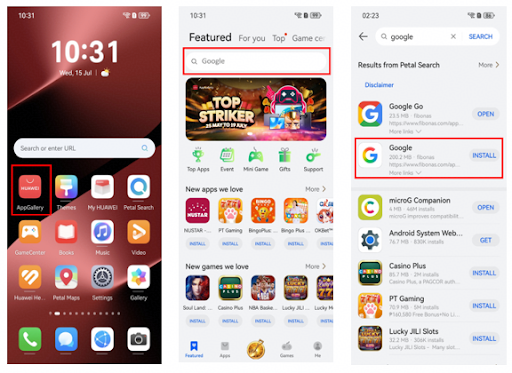
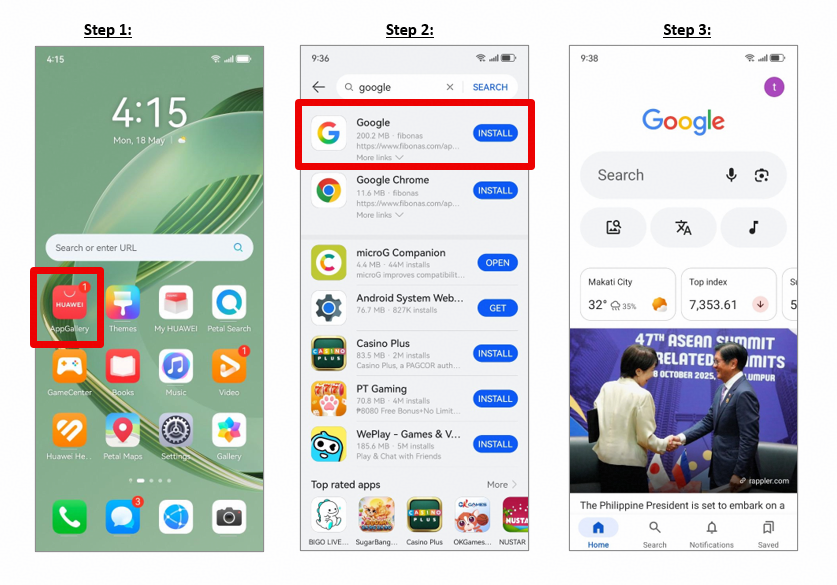
Once ownership checks are complete, connect to a trusted network, update the system, and restore essential apps. The supplied how to reset huawei phone without google account page covers downloading Google apps on Huawei devices, so it is most relevant after the reset rather than during it.
Use AppGallery and official developer sources first. Test sign-in, notifications, location access, and payments before assuming that every restored app is working normally.
When to Contact Huawei Support
Contact Huawei support when Recovery mode will not open, the reset repeatedly fails, or you cannot complete legitimate account recovery. Bring the phone’s serial number and proof of purchase when visiting a service centre.
The how to reset huawei phone without google account link can remain part of your post-reset app checklist, while Huawei’s reset and account-recovery support should remain the source for device erasure and ownership issues.